Free E-Signature Plans: What the Limit Actually Is
Docusign’s Business Pro plan costs $45 per user per month. On an annual plan it includes “up to 100 Envelopes per user per year.” That works out at about eight sends a month on a plan costing $540 a year, and it is written in the footnotes rather than on the tile.
Free tiers are metered the same way, only harder. Signaturely’s free account sends one document a month. SignWell’s sends three. Zoho Sign’s sends five. Docusign’s pricing page does not advertise a free sending plan at all.
This is a reference piece on where those caps sit, what one unit of the cap covers, and the thing worth knowing before you pay anything: under US law a typed name with an audit trail is generally enforceable, so the money buys workflow, not validity.
The caps, as published
Read in September 2026, from each vendor’s own pricing page. Prices for annual billing where the vendor quotes it that way.
| Plan | Price | Sending allowance | Templates |
|---|---|---|---|
| Signaturely Free | $0 | 1 document per month | Not listed |
| SignWell Free | $0 | 3 documents a month | 1 |
| Zoho Sign Free | $0 | 5 envelopes per month, single user | Not listed |
| SignWell Light | $10/mo | Unlimited documents | 5 per sender |
| Zoho Sign Standard | $10/user/mo | 25 envelopes per user per month | Included |
| Docusign Personal | $11/mo, $132/yr | 5 Envelopes every month | Not listed on the pricing tile |
| Zoho Sign Professional | $16/user/mo | Unlimited envelopes | Unlimited |
| Signaturely Personal | $25/mo, $240/yr | 5 per month | 1 |
| Docusign Standard | $30/user/mo | 100 Envelopes per user per year on annual plans | Not listed on the pricing tile |
| SignWell Business | $30/mo | Unlimited documents, 3 senders | Unlimited |
| Docusign Business Pro | $45/user/mo | 100 Envelopes per user per year on annual plans | Not listed on the pricing tile |
| Signaturely Business | $50/user/mo | Unlimited | Unlimited |
Sort that table by allowance rather than price and it stops making sense. Zoho Sign at $16 a month is uncapped. Signaturely at $25 gives you five sends. Docusign at $45 gives you roughly eight a month, counted annually.
The lesson is not that a vendor is dishonest. It is that the price tile and the allowance footnote sit on different parts of the page, and the correlation between them is weak.
What counts as one envelope
This decides whether a cap of five is generous or useless, and nobody explains it before you sign up.
Docusign defines the unit in its own words:
An “envelope” is an electronic record containing one or more documents uploaded to the Docusign eSignature service for signature processing, and the unit by which usage allowances with Docusign eSignature plans are measured.
Two consequences follow, and both work in your favour.
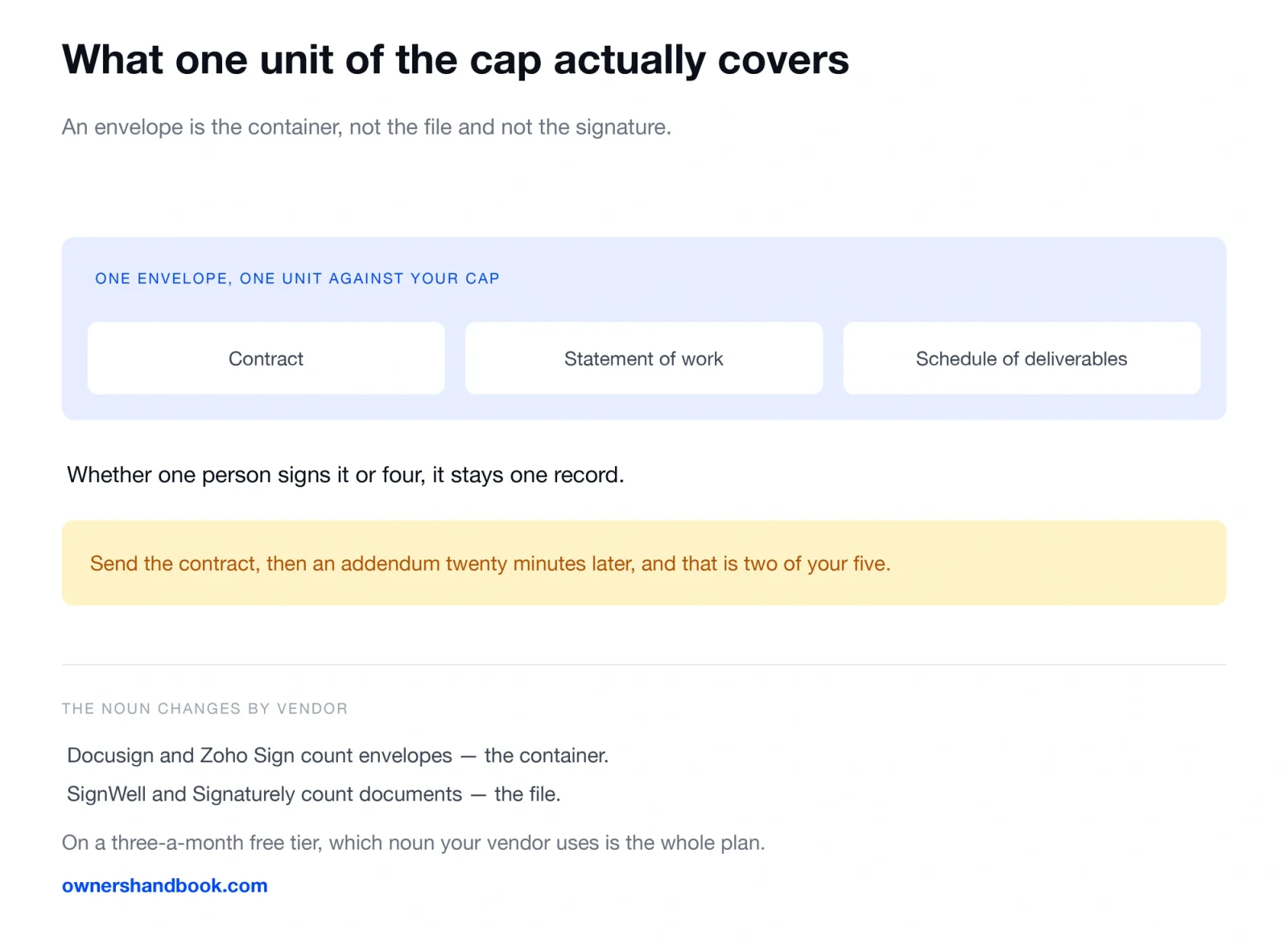
One envelope can hold several documents. A contract, a statement of work and a schedule of deliverables, sent as one request, are one unit against your cap — not three.
Several signers do not multiply the count. The envelope is the container. Whether one person signs it or four, it remains one record. A cap of five a month is five *sends*, not five *signatures*.
So the practical technique is obvious and slightly annoying: bundle. Send a client a contract, then an addendum twenty minutes later, and you have spent two of your five. The same two documents in one send cost one.
Vendors use different nouns. Docusign and Zoho Sign count envelopes. SignWell and Signaturely count documents. Check whether your vendor’s unit is the container or the file, because on a three-a-month free tier the difference is the whole plan.
Sending versus signing
A distinction the free tiers are built around.
Signing something somebody else sent you is generally free, permanently, on every mainstream service. You need no account, plan or card to receive a contract and sign it. The vendor is already being paid — by the person who sent it.
What the cap meters is sending for signature. That is the billable act, because it creates the record, routes it, chases the signer and produces the certificate.
So the question is not “do I need e-signature software.” It is “how many contracts do I originate in a year.” If your clients send you their paper and you sign it, your spend here is zero and always was.
The quieter cap, which is templates
Allowances get the attention. Template limits are what make a free tier unpleasant to live in.
SignWell’s free plan includes one template. Signaturely’s Personal plan, at $25 a month, includes one. If you send substantially the same agreement to every client, one template is workable. If you run a retainer agreement, a project contract and an NDA, one is not, and you are back to re-uploading a file and re-dragging signature fields every time.
Zoho Sign puts unlimited templates on its $16 Professional tier; SignWell puts five per sender on its $10 Light tier. That is usually the real reason to leave a free plan, well before you hit the send cap.
Whatever you put in the template is a separate problem and a more important one. Our guide to what belongs in a freelance contract covers the clauses, scope creep clauses covers the one that gets omitted most often, and deposits covers the term that decides whether you get paid at all.
Audit trails, and whether the free tier gives you one
The audit trail records who opened the document, from what address, and when they signed. It is the artefact you would produce if a client later denied signing.
SignWell lists a tamper-proof audit trail with AATL on every tier including its free plan. Zoho Sign lists one on its free plan. Signaturely’s published comparison shows audit trail on its paid tiers. Docusign’s pricing page does not break the certificate of completion out by tier, so check it against the plan you are considering rather than trusting a summary — including this one.
Where a vendor includes audit trails on the free tier, that tier is legally as good as the paid one. It is just smaller.
What the law actually requires, which is less than you think
Two sources settle it, and both are worth reading rather than paraphrasing.
The federal E-SIGN Act, at 15 U.S.C. 7001(a), for transactions in or affecting interstate commerce:
a signature, contract, or other record relating to such transaction may not be denied legal effect, validity, or enforceability solely because it is in electronic form
a contract relating to such transaction may not be denied legal effect, validity, or enforceability solely because an electronic signature or electronic record was used in its formation
At state level, the Uniform Electronic Transactions Act does the same work. California‘s enactment, at Civil Code section 1633.7, is representative:
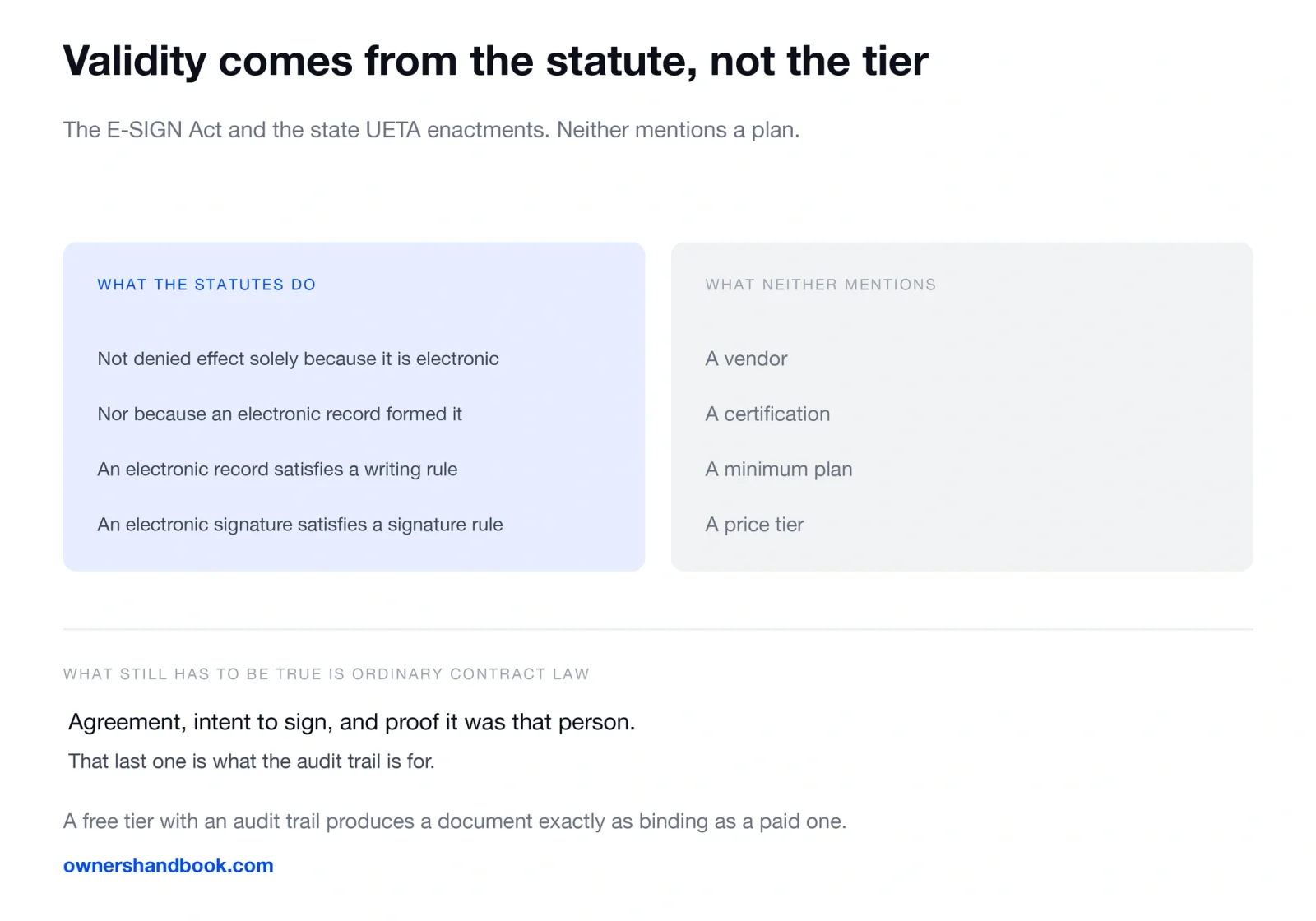
(a) A record or signature may not be denied legal effect or enforceability solely because it is in electronic form. (b) A contract may not be denied legal effect or enforceability solely because an electronic record was used in its formation. (c) If a law requires a record to be in writing, an electronic record satisfies the law. (d) If a law requires a signature, an electronic signature satisfies the law.
Notice what is absent from both. No mention of a vendor. No certification requirement. No minimum plan. The statutes remove a defence — “it was electronic, so it doesn’t count” — and that is all they do.
What still has to be true is ordinary contract law. There must be agreement, the signer must have intended to sign, and you must be able to show it was that person. That last item is what the audit trail is for — and why a scanned signature pasted into a PDF is weaker evidence than a typed name with a timestamped access log. One is provable; the other is an image.
So the honest framing of the category: you are buying workflow, not enforceability. A free tier that includes an audit trail produces a document exactly as binding as a $45-a-month one.
Enactments differ in detail, and some document types are carved out of E-SIGN — wills and certain notices among them. A freelance services agreement is not one of them. If you are signing something unusual, check your own state’s enactment.
One disclosure: the author of this site runs Mozey, a business management tool for freelancers that includes contracts. The advice above is unchanged by it.
How to pick, in one paragraph
Count the contracts you sent last year. Under twelve, a free tier with an audit trail will carry you — SignWell’s three a month or Zoho Sign’s five — provided you bundle documents into single sends. Between twelve and fifty, the $10 to $16 band buys unlimited sends and enough templates. Above that you are choosing on integrations, not allowance. More zero-cost options are in our free tools for freelancers guide.
Frequently asked questions
Is a free e-signature legally binding in the US?
Generally yes. E-SIGN and state UETA enactments say a signature or contract cannot be denied legal effect solely because it is electronic. Neither conditions that on which plan you bought.
Does Docusign have a permanently free plan?
Its pricing page does not advertise one for sending. The cheapest listed plan is Personal at $11 a month on an annual commitment, including five envelopes every month. Signing a document somebody else sends you is free.
If a contract has three signers, does that use three envelopes?
No. An envelope is the container, not a count of signatures. Three signers on one agreement is one envelope.
What is the cheapest unlimited plan?
Of the vendors checked here, Zoho Sign Professional at $16 per user per month lists unlimited envelopes and templates. SignWell Light at $10 a month lists unlimited documents with five templates per sender.
Can I just email a PDF and have the client type their name?
That can form a valid contract. What you lose is the evidence — no access log, no timestamp, no tamper seal. It is the proof that is weak, not the signature.
Sources
Docusign, eSignature pricing and envelope allowances
https://www.docusign.com/pricing
SignWell, pricing
https://www.signwell.com/pricing
Zoho Sign, pricing
https://www.zoho.com/sign/pricing.html
Signaturely, pricing
15 U.S.C. 7001, Electronic Signatures in Global and National Commerce Act, general rule of validity
https://www.law.cornell.edu/uscode/text/15/7001
California Civil Code section 1633.7, Uniform Electronic Transactions Act
https://leginfo.legislature.ca.gov/faces/codes_displaySection.xhtml?lawCode=CIV§ionNum=1633.7
Uniform Law Commission, Electronic Transactions Act