QuickBooks Self-Employed Is Gone. What You Lose.
QuickBooks Self-Employed is no longer a plan you can buy. Type quickbooks.intuit.com/self-employed into a browser and you land on a page for a different product called QuickBooks Solopreneur. The plan grid on Intuit’s main pricing page does not list Self-Employed at all — the sign-in menu still links to selfemployed.intuit.com for existing accounts, but there is no tier to purchase.
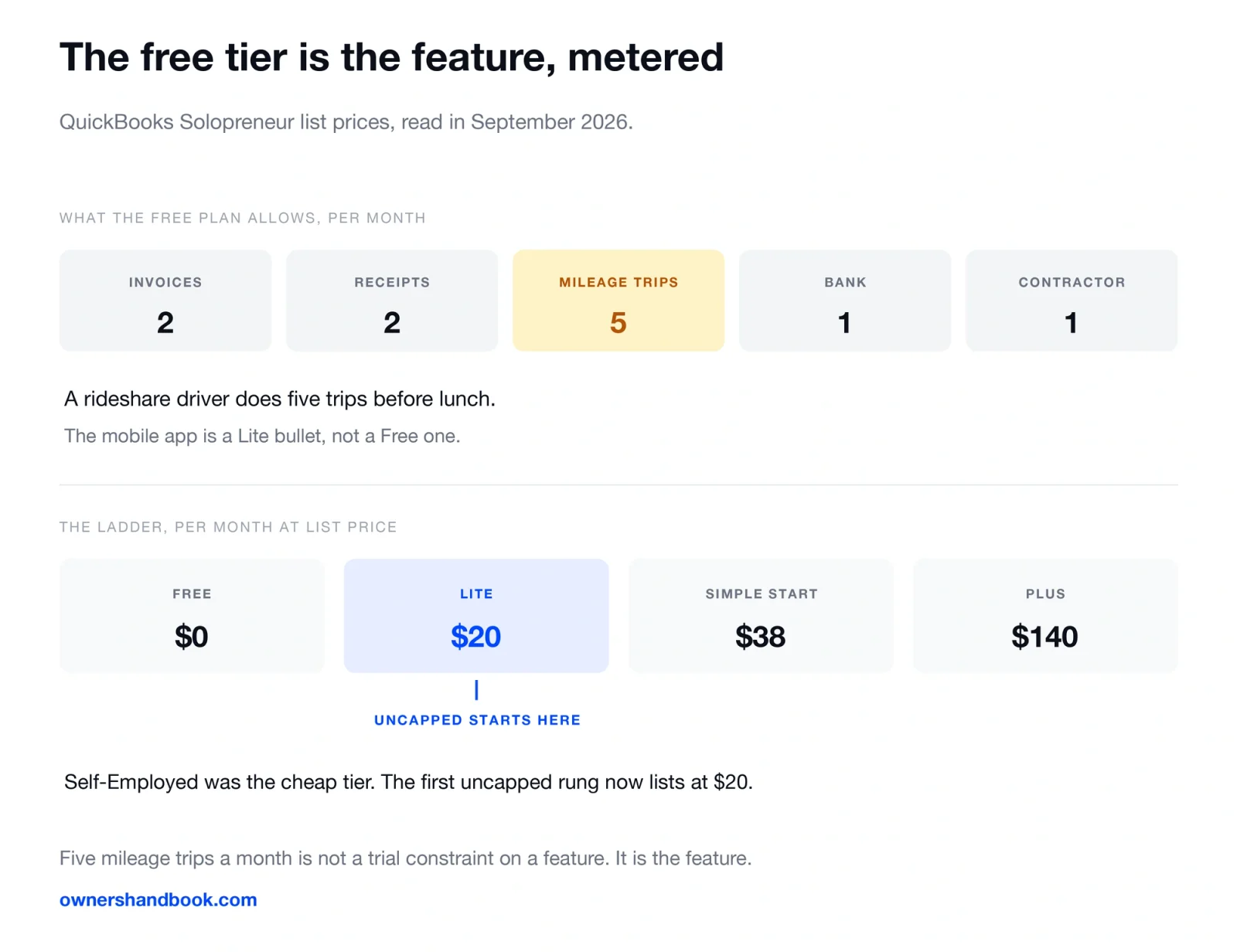
The awkward part is what happened to the price. Self-Employed was the cheap tier. The Solopreneur ladder now starts at a free plan that caps mileage tracking at five trips a month, and the first paid rung is $20 a month at list price.
Here is what Intuit’s own published pages say, and — separately and explicitly — what we cannot tell you because we have not run the migration.
What you can read off Intuit’s published pages
Three things are visible without a subscription or a phone call.
The Self-Employed URL now serves Solopreneur. Not a redirect notice, not a farewell page. The product page describes Solopreneur as software “designed for self-employed individuals running a one-person business.”
Self-Employed is absent from the plan grid. Intuit’s pricing page lists Free, Simple Start, Essentials, Plus and Advanced. The Solopreneur page lists Free, Lite, Simple Start and Plus. Self-Employed appears in neither.
The login domain still exists. selfemployed.intuit.com is still linked from the sign-in menu, which is consistent with existing subscribers retaining access while the product is closed to new ones.
That is the whole published picture. Intuit has not put out a page saying “this feature is not in the tier we moved you to,” and it has no commercial reason to.
The price and feature ladder, as published
These are list prices from the Solopreneur pricing block, read in September 2026. Every paid rung carries a “50% off for 3 months” promotion, which means the number you are charged in month four is the left-hand column.
| Plan | List price | What the published bullets include |
|---|---|---|
| Free | $0/mo | Send invoices (limit 2 per month), upload receipts (2 per month), track mileage (5 trips per month), manage 1 contractor, connect 1 bank, track income and expenses |
| Lite | $20/mo | Everything in Free, unlimited invoices, unlimited receipts and mileage, 3 contractors, mobile app, automated bill pay, instant deposit |
| Simple Start | $38/mo | Everything in Lite, general reports, cash flow history, in-person payments, recurring payments, unlimited contractors, 1 user plus 2 accountants |
| Plus | $140/mo | Everything in Simple Start, comprehensive reports, inventory, projects and project profitability, time entry |
Read the Free row again. Five mileage trips a month is not a trial constraint on a feature — it is the feature, metered. A rideshare driver does five trips before lunch.
Note also that the mobile app appears as a Lite bullet, not a Free one. A mileage tracker that only works on a laptop is not a mileage tracker.
One inconsistency worth flagging: the Solopreneur page presents Free as a $0/mo plan with no credit card required, while Intuit’s main pricing page attaches the words “Free trial for 30 days” to its free tier. Those are different propositions. Confirm which you are on before building a year of records inside it.
What is specifically not carried across
This is a loss list, and it is the part no vendor page will write for you.
| What Self-Employed was bought for | Where it sits now |
|---|---|
| Mileage tracking as a core, uncapped feature | Uncapped only from Lite, $20/mo |
| Receipt capture without counting | Uncapped only from Lite |
| A single low monthly price for one person | The one-person free tier is metered; the flat tier is $20 |
| Quarterly estimated tax figures | Not a published bullet on any Solopreneur tier we read |
| A TurboTax-linked Schedule C hand-off | Not a published bullet on any Solopreneur tier we read |
The last two rows are stated carefully on purpose. We are reporting that the estimated-tax and Schedule C-export features Self-Employed was known for do not appear in the published feature bullets of the tiers we read — not asserting they have been deleted from the running product. If those features are why you pay, verify them inside the app before committing.
What we have not tested, and will not pretend to have tested
We have not run this migration ourselves, and we have not paid for any QuickBooks plan to check. Everything above is read off Intuit’s published pages. Everything below is a question we cannot answer, and you should distrust any article that answers it without saying how it knows.
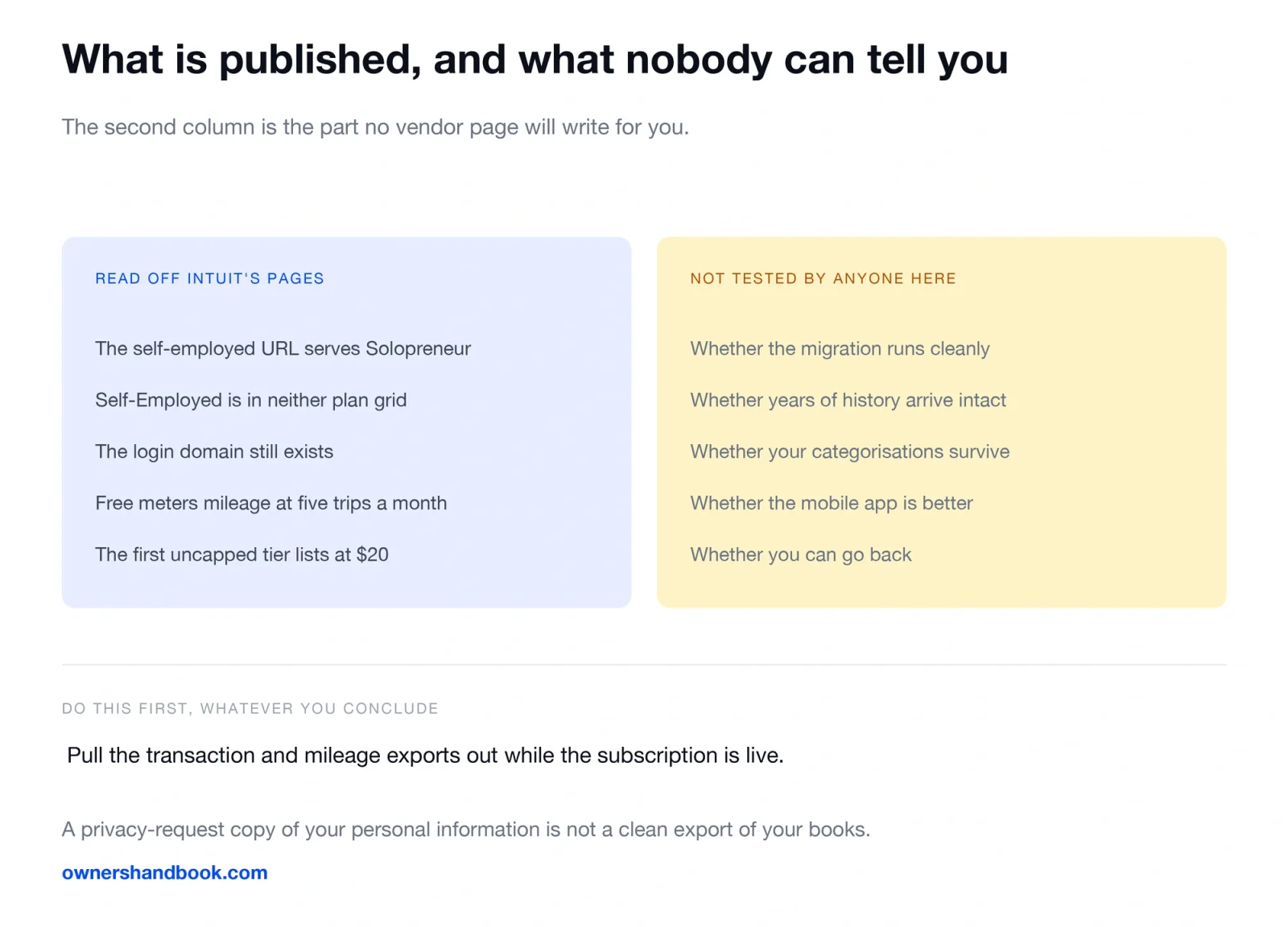
We cannot tell you whether the migration runs cleanly, whether years of transaction history arrive intact, or how long it takes.
We cannot tell you whether your existing categorisations survive. This is the expensive one. If categories are remapped to a new chart of accounts, the work of re-sorting a year of transactions is measured in evenings.
We cannot tell you whether the mobile app is better or worse than the one you were using.
We cannot tell you whether you can go back. Someone on Reddit titled a thread “QB Self-Employed to QB Online Essentials back to QB S-E?” — a person who migrated, disliked it, and wanted to reverse. If Self-Employed is closed to new signups, a reversal is not a plan you should count on. Assume the move is one-way and behave accordingly.
Plan names, tier contents and prices change, sometimes quarterly. Everything here is true as of September 2026 and should be re-checked against the live pages before you act on it.
Export your data before you decide anything
Do this first, whatever you conclude about the rest.
Intuit’s privacy statement is the published policy on retention, and it is not a promise to keep your books available:
Unless you specifically ask us to delete your personal information, we retain your personal information as long as it is necessary to comply with our data retention requirements
It also describes an access route rather than a bookkeeping export:
You may download a copy of the personal information we have about you by visiting your account, the Intuit Privacy Center, or by calling us toll-free
Read that as what it is. A privacy-request copy of your personal information is not the same artefact as a clean CSV of every categorised transaction and every logged trip. Pull the transaction and mileage exports out of the product itself, while you still have a live subscription, and keep them somewhere you control.
The IRS requirement does not care which vendor you use. Under the standard mileage method you still have to substantiate “the time, place, and business purpose” of your travel, from timely kept records. If your only copy of those records lives inside a subscription you are about to cancel, the subscription is now a tax risk. Our guide to keeping tax records covers the retention periods, and receipt rules for freelancers covers what a receipt has to show.
Alternatives, if you mainly need mileage, expenses and a Schedule C summary
Most Self-Employed users were buying three things. You can buy those three things separately, usually for less.
| Tool | Price as published | What it covers |
|---|---|---|
| Wave Starter | Free | Unlimited invoices, estimates and bookkeeping records. No auto bank import, no receipt scanning |
| Wave Pro | $19/mo or $190/yr | Adds auto-import and auto-categorisation of bank transactions, unlimited receipt capture |
| Everlance Basic | Free | 30 automatically detected trips per month, expense tracking with receipt uploads, mileage and expense reports |
| Everlance Starter | $8.99/mo or $69.99/yr | Unlimited automatic mileage tracking, IRS-compliant reporting |
| FreshBooks Lite | $23/mo list | Invoicing with 5 billable clients |
| QuickBooks Solopreneur Lite | $20/mo list | Unlimited invoices, receipts and mileage in one product |
The interesting row is Everlance Basic: thirty auto-detected trips a month, free, against five on the Solopreneur free tier. If mileage is your main deduction, a dedicated tracker plus free bookkeeping beats a metered all-in-one on both count and price. See our 2026 mileage rate guide and the mileage deduction calculator for what those trips are worth.
The wider comparison sits in our review of accounting software for freelancers, with the zero-cost options in free tools for freelancers and the billing side in invoicing software compared.
A last point that is easy to lose in the migration noise. Schedule C is a one-page summary of income and expenses by category. It does not require software — it requires categorised totals you can defend. Our Schedule C explainer walks the lines.
Frequently asked questions
Is QuickBooks Self-Employed discontinued?
It is not sold as a plan on Intuit’s published pricing pages, and the self-employed URL now serves QuickBooks Solopreneur. The Self-Employed login domain still exists for account holders. We are describing what the published pages show, not an announcement.
What replaced QuickBooks Self-Employed?
QuickBooks Solopreneur, which is a ladder of four tiers rather than a single plan: Free, Lite at $20/mo, Simple Start at $38/mo and Plus at $140/mo at list price.
Will I lose my data?
We have not run the migration, so we cannot tell you. Export your transactions and mileage log before you change anything. Intuit’s published retention policy is about legal record-keeping, not about keeping your books usable.
Can I switch back to Self-Employed?
Treat it as one-way. A product that cannot be purchased is not a product you should plan on returning to.
Is Solopreneur more expensive than Self-Employed was?
The free tier is metered at five mileage trips and two receipts a month, and the first uncapped tier lists at $20 a month. Whether that is more than you paid depends on your old rate, which only your billing history shows.
Do I need accounting software at all for Schedule C?
No. You need categorised totals and records that substantiate them. Software is a convenience, and the IRS substantiation rules apply identically to a spreadsheet.
Sources
QuickBooks Solopreneur product and pricing page
https://quickbooks.intuit.com/solopreneur
QuickBooks, self-employed URL now serving Solopreneur
https://quickbooks.intuit.com/self-employed
QuickBooks Online plans and pricing
https://quickbooks.intuit.com/pricing
Intuit Global Privacy Statement
https://www.intuit.com/privacy/statement
Wave, pricing
https://www.waveapps.com/pricing
Everlance, pricing
https://www.everlance.com/pricing
FreshBooks, pricing
https://www.freshbooks.com/pricing
IRS, Publication 463, Travel, Gift, and Car Expenses
https://www.irs.gov/publications/p463
IRS, Instructions for Schedule C (Form 1040)